
The Employees’ Provident Fund Organisation (EPFO) has revolutionized how employees manage their retirement savings through its user-friendly online portal. Accessing your EPF account online allows you to check your balance, download passbooks, submit claims, and manage various services without visiting an EPFO office. This comprehensive guide will walk you through every step of the EPFO login process, ensuring you can efficiently access and utilize all available services.
Understanding the EPFO Member Portal
The EPFO Member Portal is the official digital platform where employees can access their Provident Fund accounts using their Universal Account Number (UAN). This portal serves as a centralized system that consolidates all your EPF accounts from different employers under one UAN, making account management seamless and efficient.
Key Portal Features:
- View updated EPF passbook with contribution details
- Check current balance and interest earned
- Download Form 26AS for tax purposes
- Submit online claims for withdrawal, advance, and transfer
- Update KYC details including Aadhaar, PAN, and bank account
- Track claim status in real-time
- Access member e-Sewa services
Prerequisites for EPFO Login
Before you can log into the EPFO portal, ensure you have the following:
1. Active UAN: Your employer provides this 12-digit unique number when you join an EPF-covered organization. If you don’t know your UAN, you can retrieve it using your PAN, Aadhaar, or member ID on the portal.
2. Activated UAN: Having a UAN is not enough; it must be activated through a one-time process that links it with your mobile number and creates login credentials.
3. Mobile Number: A registered mobile number is essential for receiving OTPs during login and various transactions.
4. Updated KYC: While not mandatory for login, having Aadhaar, PAN, and bank details verified ensures you can access all services, especially claim submissions.
UAN Activation Process
If you’re a first-time user, you must activate your UAN before logging in:
Step 1: Visit the official EPFO member portal at unifiedportal-mem.epfindia.gov.in.
Step 2: Click on “Activate UAN” under the “Important Links” section.
Step 3: Enter your UAN, member ID (provided by employer), name as per records, date of birth, and mobile number.
Step 4: Verify the OTP sent to your registered mobile number.
Step 5: Create a strong password containing at least 8 characters with uppercase, lowercase, numbers, and special characters.
Step 6: Once activated, your UAN becomes ready for login within a few minutes.
Detailed EPFO Login Steps
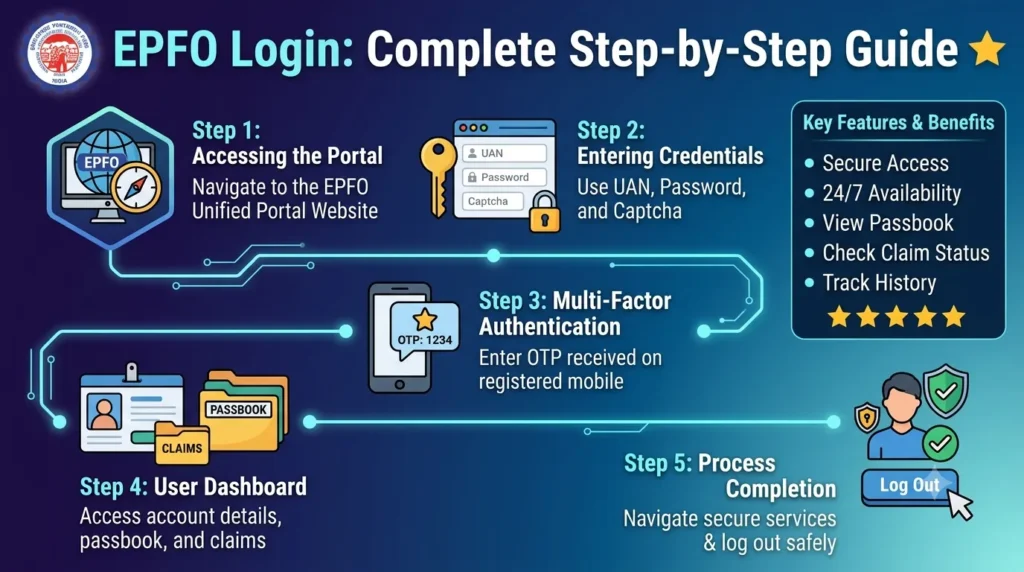
Step 1: Access the Portal
Open your web browser and navigate to the official EPFO Unified Member Portal: unifiedportal-mem.epfindia.gov.in. Ensure you’re on the authentic government website to protect your credentials from phishing attempts.
Step 2: Enter Login Credentials
On the homepage, locate the login section on the right side. Enter your 12-digit UAN in the designated field and your password in the password field. The system is case-sensitive, so enter your password exactly as created.
Step 3: Enter Captcha
Type the security code (captcha) displayed on the screen. If the captcha is unclear, click the refresh icon to generate a new one. This security measure prevents automated bot access.
Step 4: Click Sign In
After entering all details correctly, click the “Sign In” button. The system will verify your credentials and grant access to your dashboard within seconds.
Step 5: Access Your Dashboard
Upon successful login, you’ll be directed to your member dashboard displaying your profile summary, linked member IDs from different employers, and quick access to various services.
Navigating the EPFO Dashboard
Once logged in, familiarize yourself with the dashboard layout:
Profile Section: Displays your name, UAN, Aadhaar status, and KYC verification details. Ensure all information is accurate and up-to-date.
Service Menu: Located on the left or top of the page, this menu provides access to passbook, claims, KYC updates, and other services.
Member ID Details: Shows all your employment history with different establishments, each identified by a unique member ID.
Download Section: Access your passbook, Form 26AS, and other important documents here.
Accessing Your EPF Passbook
Point 1: From the dashboard, click on “View” under the Passbook section or select “Member Passbook” from the service menu.
Point 2: Select the member ID for which you want to view the passbook if you have multiple employment records.
Point 3: The passbook displays month-wise contributions from both employer and employee, interest credited, and running balance.
Point 4: Download the passbook as a PDF for record-keeping or sharing with financial institutions for loan applications.
Updating KYC Details
Keeping your KYC information current is crucial for seamless claim processing:
Aadhaar Linking: Navigate to “Manage” and select “KYC.” Enter your Aadhaar number, verify through OTP, and submit. Once approved, your Aadhaar becomes digitally verified.
PAN Update: Similarly, enter your PAN details and submit for verification. This enables tax-free withdrawals when eligible.
Bank Account: Add or update bank account details with IFSC code and account number. Verify through penny drop validation for claim settlements directly to your account.
Troubleshooting Common Login Issues
Forgotten Password: Click “Forgot Password” on the login page, enter your UAN, verify through OTP, and create a new password.
Account Locked: After multiple incorrect password attempts, your account gets temporarily locked. Wait for 24 hours or contact the EPFO helpdesk at 1800-118-005.
Invalid Credentials Error: Ensure you’re entering the correct UAN and password. Check for caps lock and special characters.
OTP Not Received: Verify your registered mobile number is active. Check spam folders or request OTP resend after a few minutes.
Security Best Practices
Use Strong Passwords: Create complex passwords combining letters, numbers, and symbols. Change passwords regularly for enhanced security.
Avoid Public Computers: Never log in from cybercafes or shared devices. If necessary, always log out completely and clear browser history.
Enable Two-Factor Authentication: The system uses OTP-based verification for critical transactions, adding an extra security layer.
Beware of Phishing: Always verify you’re on the official EPFO website. Never share your password or OTP with anyone, including those claiming to be EPFO officials.
Regular Monitoring: Frequently check your passbook for unauthorized transactions or discrepancies, reporting any issues immediately.
Mobile Access via UMANG App
For on-the-go access, download the UMANG (Unified Mobile Application for New-age Governance) app:
Installation: Available on Google Play Store and Apple App Store, this official government app provides secure EPFO access.
Login Process: Search for EPFO services within the app, enter your UAN and password, and access all portal features on your smartphone.
Benefits: Receive push notifications for contributions, claim approvals, and important updates directly on your mobile device.
Conclusion
Mastering the EPFO login process empowers you to take control of your retirement savings and access numerous online services efficiently. The digital transformation of EPFO has made managing your Provident Fund account incredibly convenient, eliminating paperwork and reducing processing times significantly. By following this step-by-step guide, you can confidently navigate the portal, monitor your contributions, and utilize various services whenever needed.
Regular login and monitoring ensure your contributions are being credited correctly, your employer is complying with regulations, and your retirement corpus is growing as expected. Keep your contact details and KYC information updated to enjoy uninterrupted access to all EPFO services. Whether you need to check your balance, download your passbook, or submit a claim, the EPFO portal puts complete control in your hands, making financial planning for your future simpler and more transparent than ever before.